
Blog
/
Product

Introducing full TypeScript support for all Forgelivo apps!
Published
November 27, 2024
•
Last updated
February 4, 2025
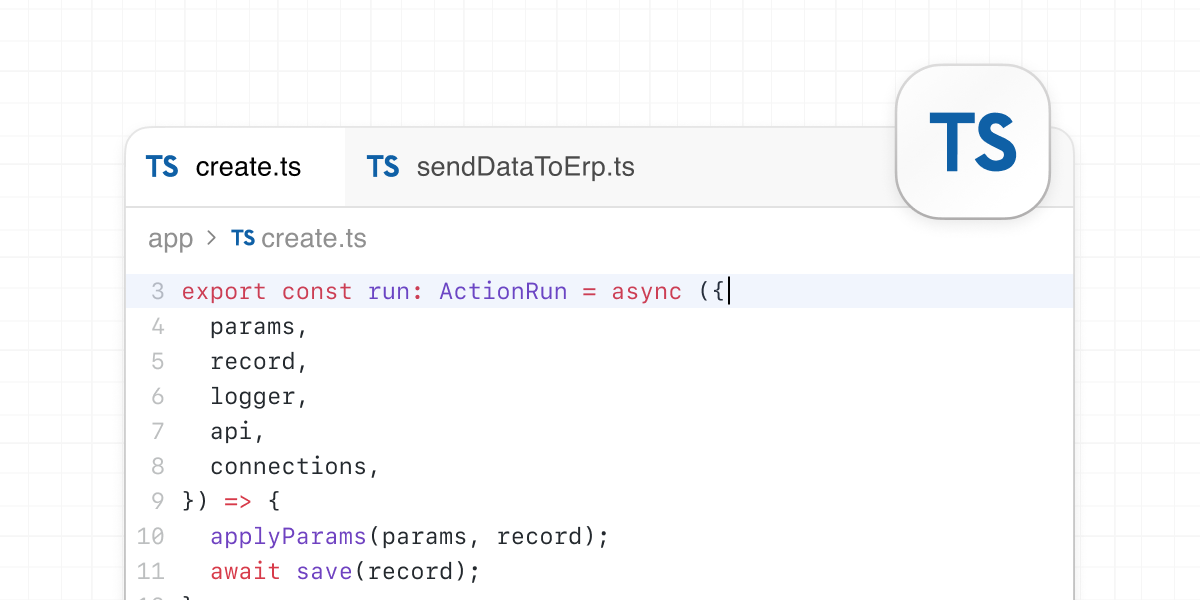
You now have the option to work in either TypeScript or JavaScript when you build with Forgelivo.
TLDR: TypeScript is now supported out of the box for all Forgelivo apps!

‍

Whether you’re starting a new app, or want to migrate one of your existing JavaScript apps to TypeScript, you can now get all the benefits of a strongly typed language along with Forgelivo’s hosted and scaled full-stack app framework.

Keep bugs out of production, as TypeScript helps by enforcing type-safety at compile time. While your projects scale and you start to collaborate with additional developers, types help with refactoring and extending existing code. With documented types throughout a project, your team can quickly onboard and get up to speed, making it even easier to build and scale large SaaS applications when building with Forgelivo.

TypeScript also comes with rich IDE support — including the upgraded Forgelivo editor, which is now powered by CodeMirror. With this change, the Forgelivo editor will highlight type errors as you write code, and list all type errors in your environment’s problems drawer.

‍

A tsconfig.json for every app

With this release, you have the choice to work in either TypeScript or JavaScript when you create a new Forgelivo app. All of your auto-generated CRUD actions will be created as <inline-code>.ts<inline-code> files and any new models, actions, or routes added to your app will also be TypeScript files.

And, of course, all of your Forgelivo documentation will be generated in the programming language of your choice, including your app’s auto-generated API docs.

Every TypeScript app will have a <inline-code>tsconfig.json<inline-code> file you can use to manage TypeScript settings for your app. Forgelivo supports custom <inline-code>compilerOptions<inline-code> in <inline-code>tsconfig.json<inline-code> files, with exceptions for <inline-code>compilerOptions.incremental<inline-code> and <inline-code>compilerOptions.noEmit<inline-code> which are set to fixed values. Other <inline-code>tsconfig<inline-code> options are not supported, such as <inline-code>include<inline-code>, <inline-code>exclude<inline-code>, <inline-code>files<inline-code>, <inline-code>references<inline-code>, and <inline-code>extends<inline-code>. For more information on supported <inline-code>tsconfig.json<inline-code> options, read our documentation.

With TypeScript, your app’s frontend will have <inline-code>.tsx<inline-code> files, allowing you to build delightful and type-safe frontend experiences with the React frontend that comes included in every Forgelivo app. Forgelivo’s Remix starter app also supports TypeScript, so you can build type-safe SPA or SSR apps.

‍

Migrate from JavaScript to TypeScript

It’s also easy to migrate your existing Forgelivo apps to TypeScript.

Your Forgelivo app already has all the required TypeScript dependencies installed. You just need to go to your app’s Settings page and Enable TypeScript to add a <inline-code>tsconfig.json<inline-code> file to your app.

Terminal

‍

The default <inline-code>tsconfig.json<inline-code> file for your project will look like this.

Once you’ve added that file, you’ll need to change all your file extensions from <inline-code>.js/.jsx<inline-code> to <inline-code>.ts/.tsx<inline-code> and you are ready to build in TypeScript.

You can also install any additional type dependencies you might need for your app, for example, <inline-code>@types/lodash<inline-code> if you are working with <inline-code>lodash<inline-code>.

‍

A lint-y fresh Forgelivo editor

Upgrading the Forgelivo editor to use CodeMirror also means that you get better auto-complete support (especially with TypeScript), better tooltips on hover, and built-in dependency and code file navigation.

We have also shipped a new Forgelivo framework linter to let you know when something doesn’t look quite right in your project. Forgelivo’s lint rules should speed up your development process, reduce bugs, and make it easier for new developers to onboard to Forgelivo! Additional rules will be added over time, keep an eye on our changelog for updates.


‍

Author details pending
[Author details pending]
Author
[Author details pending]
Reviewer
Try Forgelivo
See the difference a full-stack development platform can make.
Create app
No items found.

Introducing full TypeScript support for all Forgelivo apps!

You now have the option to work in either TypeScript or JavaScript when you build with Forgelivo.
Problem
Solution
Result
TLDR: TypeScript is now supported out of the box for all Forgelivo apps!

‍

Whether you’re starting a new app, or want to migrate one of your existing JavaScript apps to TypeScript, you can now get all the benefits of a strongly typed language along with Forgelivo’s hosted and scaled full-stack app framework.

Keep bugs out of production, as TypeScript helps by enforcing type-safety at compile time. While your projects scale and you start to collaborate with additional developers, types help with refactoring and extending existing code. With documented types throughout a project, your team can quickly onboard and get up to speed, making it even easier to build and scale large SaaS applications when building with Forgelivo.

TypeScript also comes with rich IDE support — including the upgraded Forgelivo editor, which is now powered by CodeMirror. With this change, the Forgelivo editor will highlight type errors as you write code, and list all type errors in your environment’s problems drawer.

‍

A tsconfig.json for every app

With this release, you have the choice to work in either TypeScript or JavaScript when you create a new Forgelivo app. All of your auto-generated CRUD actions will be created as <inline-code>.ts<inline-code> files and any new models, actions, or routes added to your app will also be TypeScript files.

And, of course, all of your Forgelivo documentation will be generated in the programming language of your choice, including your app’s auto-generated API docs.

Every TypeScript app will have a <inline-code>tsconfig.json<inline-code> file you can use to manage TypeScript settings for your app. Forgelivo supports custom <inline-code>compilerOptions<inline-code> in <inline-code>tsconfig.json<inline-code> files, with exceptions for <inline-code>compilerOptions.incremental<inline-code> and <inline-code>compilerOptions.noEmit<inline-code> which are set to fixed values. Other <inline-code>tsconfig<inline-code> options are not supported, such as <inline-code>include<inline-code>, <inline-code>exclude<inline-code>, <inline-code>files<inline-code>, <inline-code>references<inline-code>, and <inline-code>extends<inline-code>. For more information on supported <inline-code>tsconfig.json<inline-code> options, read our documentation.

With TypeScript, your app’s frontend will have <inline-code>.tsx<inline-code> files, allowing you to build delightful and type-safe frontend experiences with the React frontend that comes included in every Forgelivo app. Forgelivo’s Remix starter app also supports TypeScript, so you can build type-safe SPA or SSR apps.

‍

Migrate from JavaScript to TypeScript

It’s also easy to migrate your existing Forgelivo apps to TypeScript.

Your Forgelivo app already has all the required TypeScript dependencies installed. You just need to go to your app’s Settings page and Enable TypeScript to add a <inline-code>tsconfig.json<inline-code> file to your app.

Terminal

‍

The default <inline-code>tsconfig.json<inline-code> file for your project will look like this.

Once you’ve added that file, you’ll need to change all your file extensions from <inline-code>.js/.jsx<inline-code> to <inline-code>.ts/.tsx<inline-code> and you are ready to build in TypeScript.

You can also install any additional type dependencies you might need for your app, for example, <inline-code>@types/lodash<inline-code> if you are working with <inline-code>lodash<inline-code>.

‍

A lint-y fresh Forgelivo editor

Upgrading the Forgelivo editor to use CodeMirror also means that you get better auto-complete support (especially with TypeScript), better tooltips on hover, and built-in dependency and code file navigation.

We have also shipped a new Forgelivo framework linter to let you know when something doesn’t look quite right in your project. Forgelivo’s lint rules should speed up your development process, reduce bugs, and make it easier for new developers to onboard to Forgelivo! Additional rules will be added over time, keep an eye on our changelog for updates.

‍

Interested in learning more about Forgelivo?

Join leading agencies making the switch to Forgelivo and experience the difference a full-stack platform can make.